 SurfSense Docs
Discord
Connect your Discord servers to SurfSense
Discord OAuth Integration Setup Guide
Deprecated
The Discord connector is deprecated and can no longer be connected (the backend refuses new connections with HTTP 410). Existing connections remain manageable. The guide below is retained for reference only.
This guide walks you through setting up a Discord OAuth integration for SurfSense.
Step 1: Create a New Discord Application
- Navigate to discord.com/developers/applications
- Click "New Application"
- Enter the application name:
SurfSense - Click "Create"
Step 2: Configure General Information
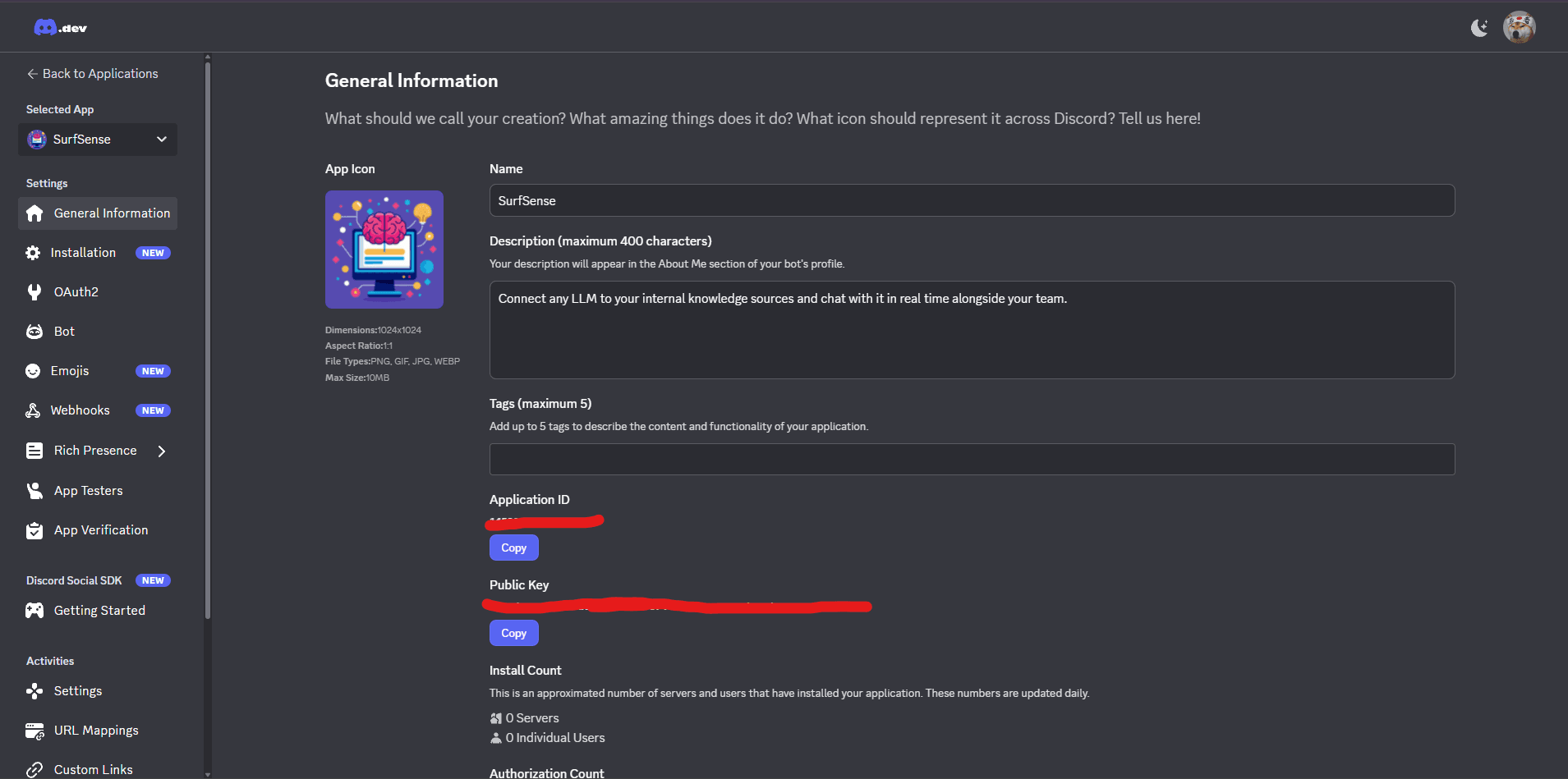
On the General Information page, fill in the details:
| Field | Value |
|---|---|
| App Icon | Upload an icon (1024x1024px, PNG/GIF/JPG/WEBP, max 10MB) |
| Name | SurfSense |
| Description | Connect any LLM to your internal knowledge sources and chat with it in real time alongside your team. |
| Tags | Add up to 5 tags (optional) |
You'll also see your Application ID and Public Key on this page.
Step 3: Configure OAuth2 Settings
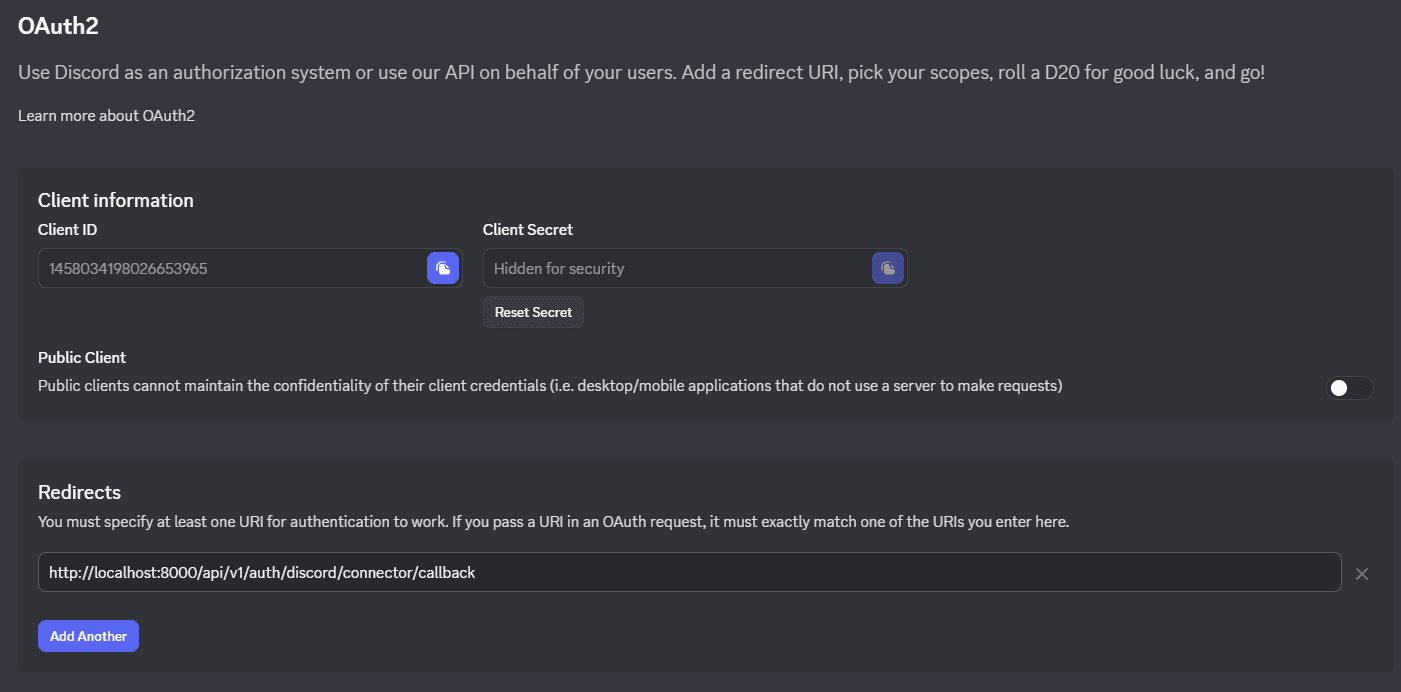
- In the left sidebar, click "OAuth2"
- Copy your Client ID and Client Secret (click to reveal)
- Under Redirects, click "Add Another" and enter:
http://localhost:8000/api/v1/auth/discord/connector/callback
Keep Public Client disabled (off) since SurfSense uses a server to make requests.
Step 4: Configure Bot Settings
-
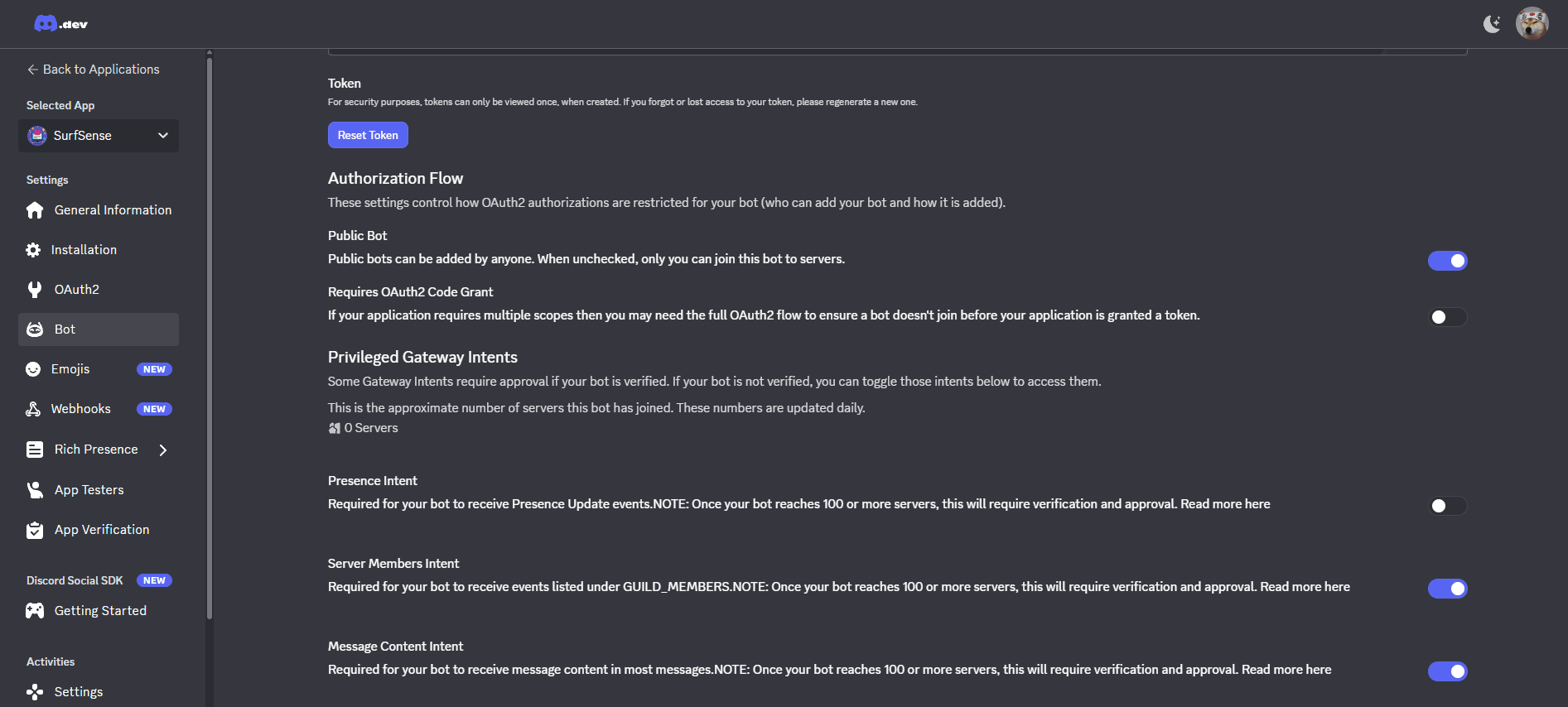
In the left sidebar, click "Bot"
-
Configure the Authorization Flow:
- Public Bot - Enable to allow anyone to add the bot to servers
-
Enable Privileged Gateway Intents:
- Server Members Intent - Required to receive GUILD_MEMBERS events
- Message Content Intent - Required to receive message content
Once your bot reaches 100+ servers, these intents will require verification and approval.
Running SurfSense with Discord Connector
Add the Discord credentials to your .env file (created during Docker installation):
DISCORD_CLIENT_ID=your_discord_client_id
DISCORD_CLIENT_SECRET=your_discord_client_secret
DISCORD_REDIRECT_URI=http://localhost:8000/api/v1/auth/discord/connector/callback
DISCORD_BOT_TOKEN=your_discord_bot_token
Then restart the services:
docker compose up -d