
SurfSense is moving to a local app
The cloud service is export-only, and everything stored in it is deleted on 18 October 2026. Export before then.
Moving your data
Five steps to the desktop app
- 01
Export your cloud data
Your cloud data is deleted on 18 October 2026, and an export made before then is the only copy you keep. Save the ZIP somewhere you will find it again. You need it in step five.
The ZIP holds every workspace you can access: ready documents as markdown, the folder structure, and your chat threads. It does not carry original uploads, generated artifacts, tool calls, agent steps or live citation links.
- 02
Download the desktop app
An installer for Windows, macOS or Linux. There is no account to create, and it runs on your own machine.
- 03
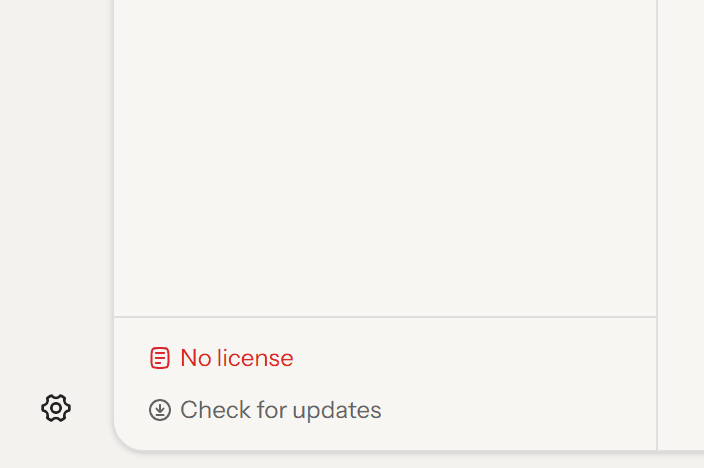
Open Settings in the app
Install and open it, then click the gear at the bottom of the left rail.
- 04
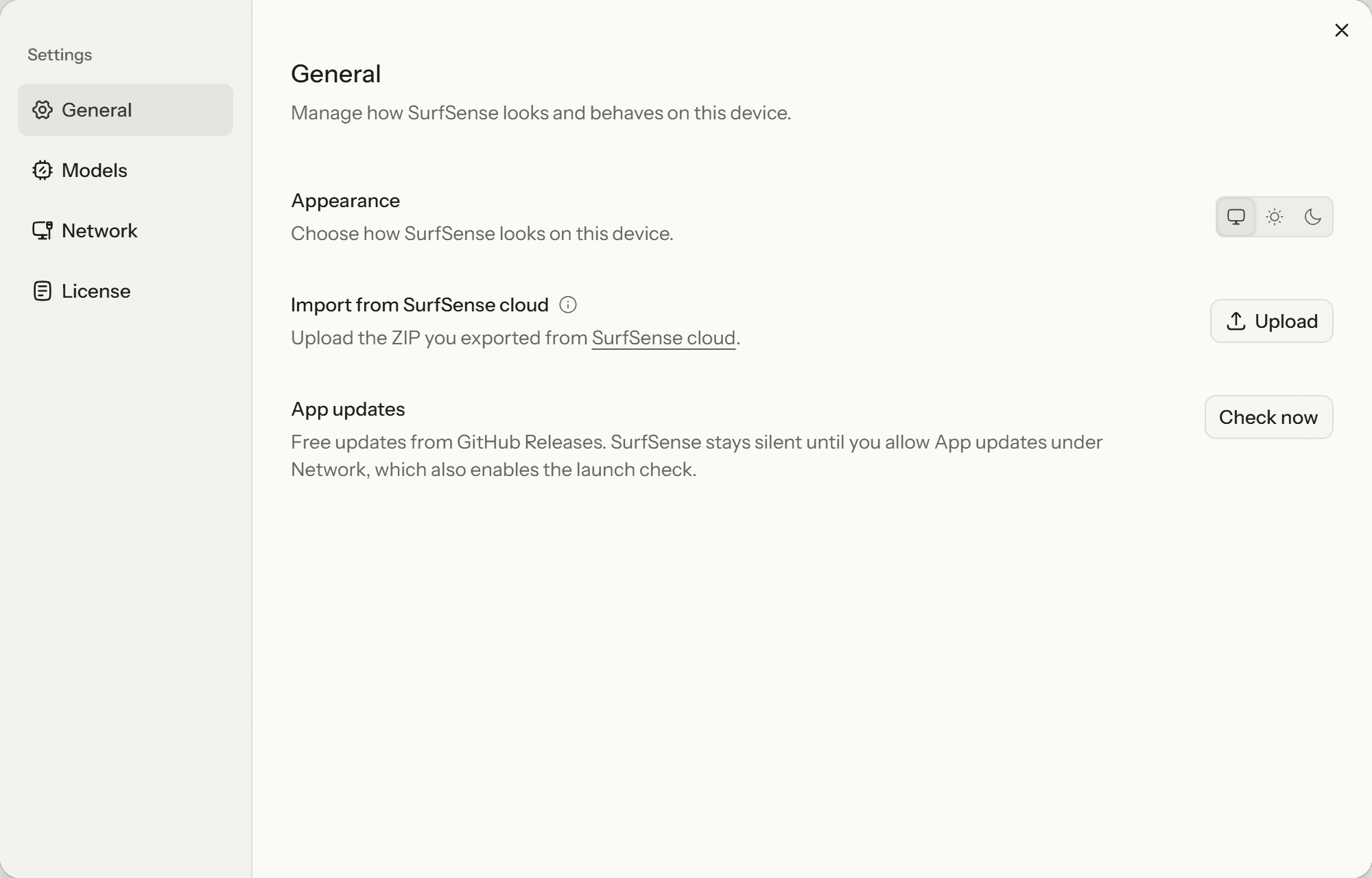
Find the import row in General
Settings opens on General. The row you want is "Import from SurfSense cloud", under Appearance.
- 05
Upload the ZIP
Click Upload and pick the ZIP. Your workspaces, folders and chat threads come across, and the app indexes the documents on your machine afterwards.

A fresh install shows the same Upload button on its empty workspace screen, so you can import before you do anything else. If something did not come across, tell us.