 SurfSense Docs
Have the agent write a report or a deck
Ask an Agentic chat for a Word document, a deck or a PDF from your sources, then change it by asking
In an Agentic chat, the agent works in steps: it searches your ticked sources, reads them in full when it needs to, and makes real Office files and PDFs. Each file appears in Studio. See Agent.
Ask in an Agentic chat
Click New chat and choose Agentic under Mode for this chat. Ask for the file you want, such as "a two-page Word report for a small business owner". Each step shows above the reply as one line while the agent works.
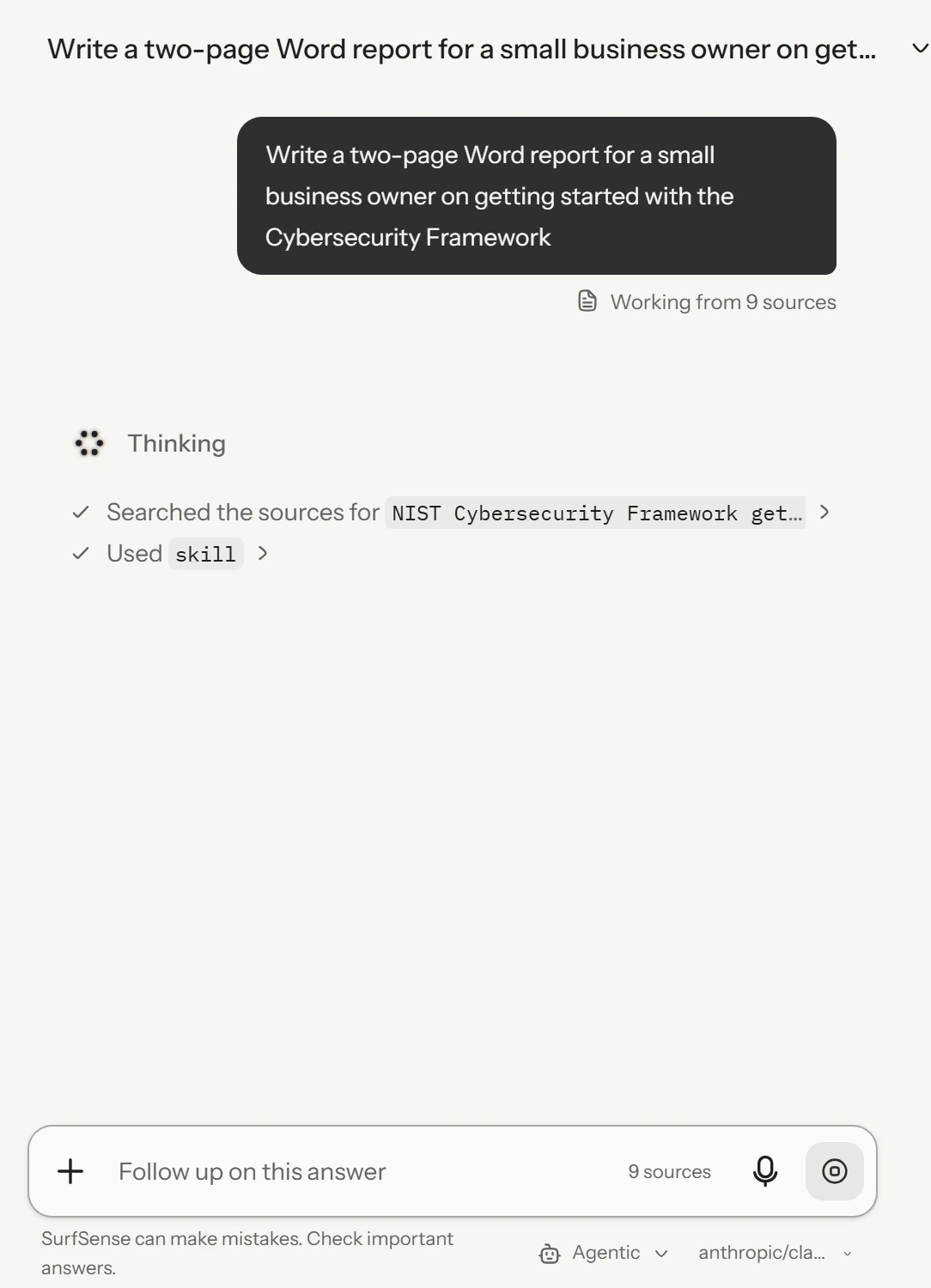
Read what it did
When it's done, the steps list everything it did, and the reply says what the document draws on. The step that made the file links to it.
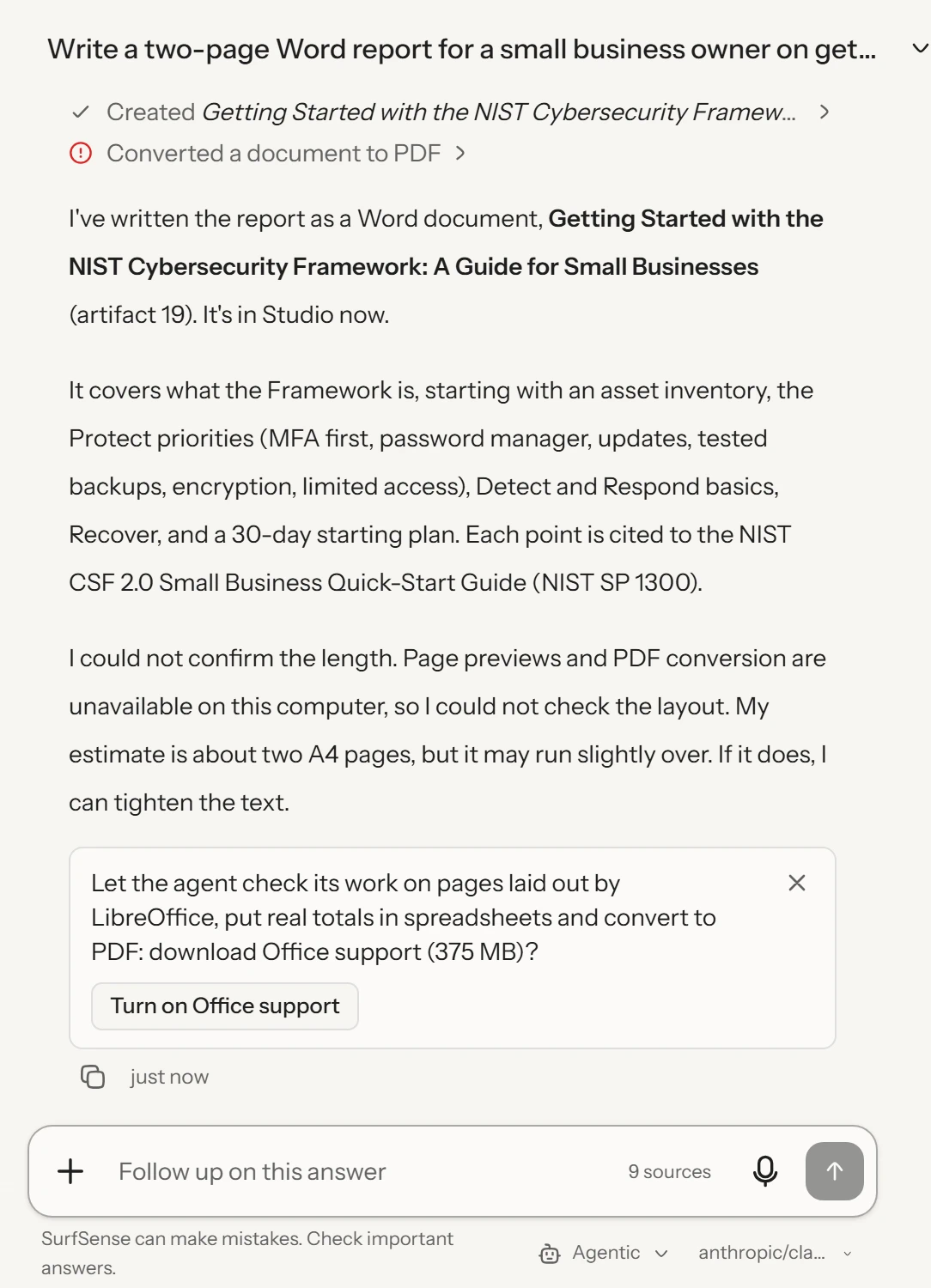
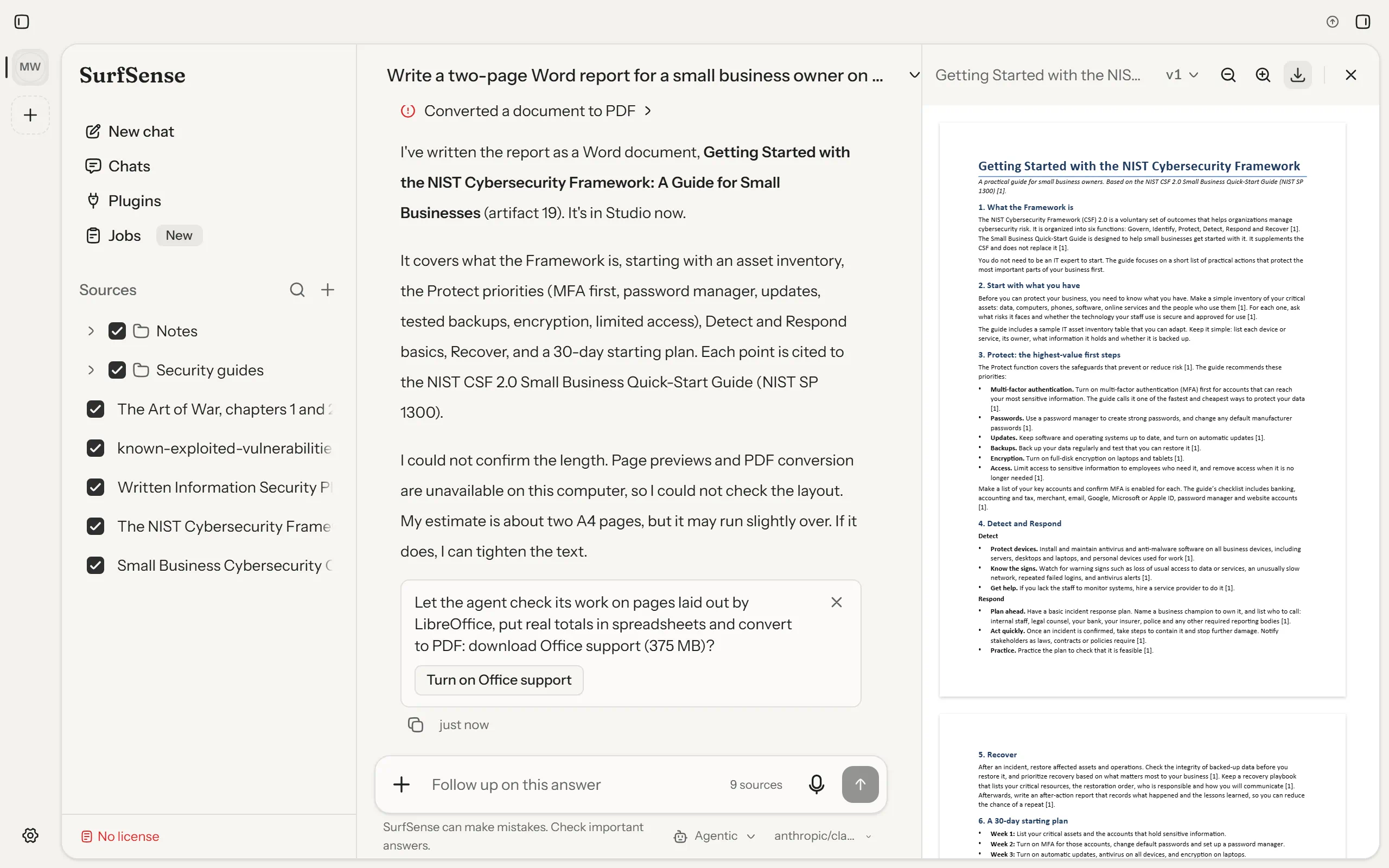
Open the document
Click the file in its step to open it in Studio. It's a real .docx you can download and edit in Word or LibreOffice.
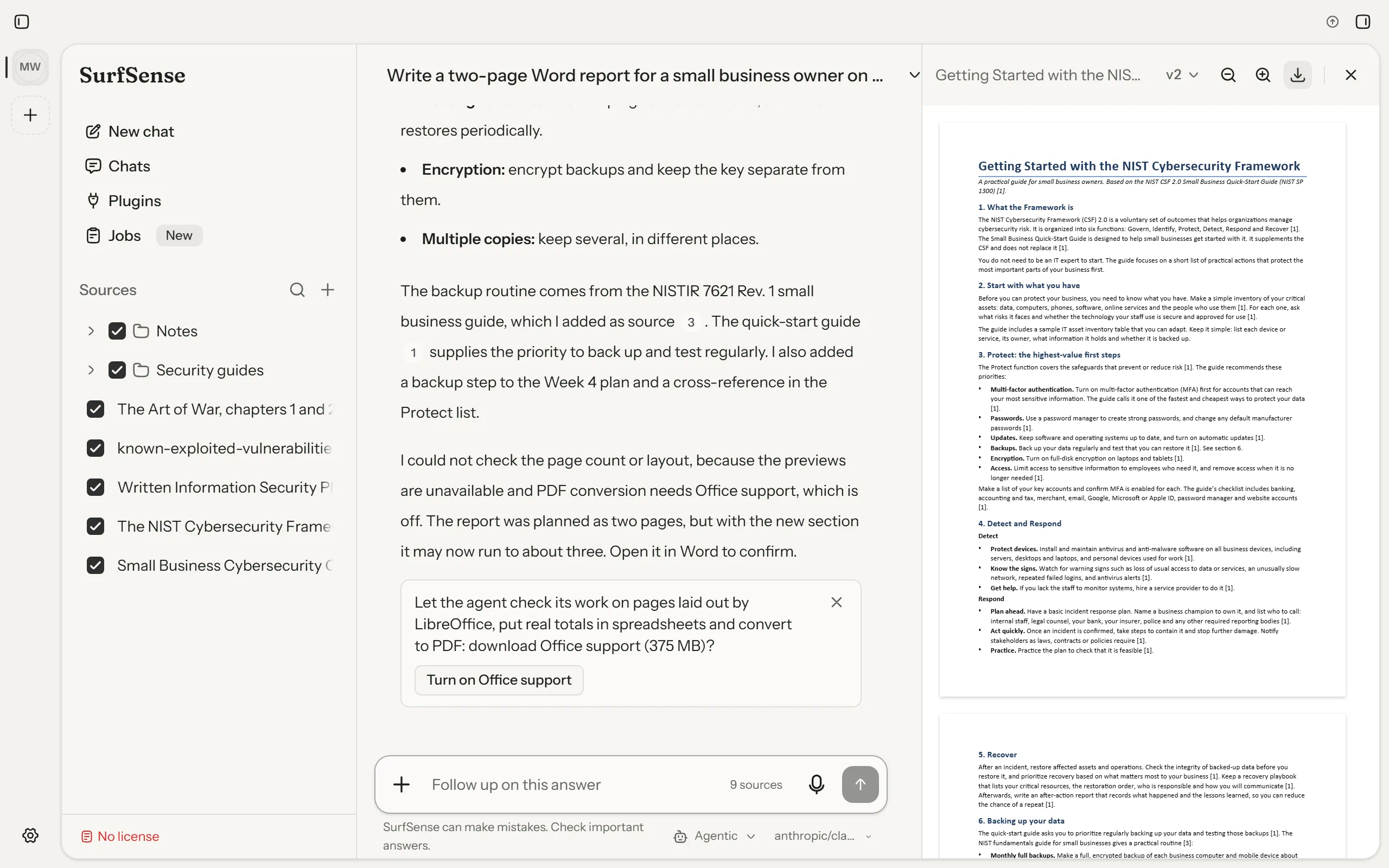
Ask for a change
Ask in the same chat, such as "add a short section on backups". The agent makes the document's next version, and the earlier one stays in Studio's version list.
When the agent wants to check its pages as Office lays them out, or convert a document to PDF, it needs Office support. If it's off, the step says so and the chat offers Turn on Office support. See Office support.
Agentic works best on strong models. Small local models can stall on multi-step work.
Next
Last updated on November 23, 2026