 SurfSense Docs
Fill in a security questionnaire from your policies
Run the security questionnaire job on a workbook a customer sent you, then check its answers in Studio
The Security questionnaire job fills in a questionnaire a customer sent you, as an Excel workbook, from your firm's own policies. Each answer rests on a passage it quotes, and a question it can't back is left for a person. It is part of the free app from SurfSense 2.4.0, with no license. See Jobs for everything a job does.
Add the workbook and your policies
Add the questionnaire, as an .xlsx file, and your policies to Sources, and wait until they're ready. Save a Word or older Excel file as .xlsx first. Here the questions are the NCSC's supplier questions, and the policy is a firm's written information security plan, already a source.
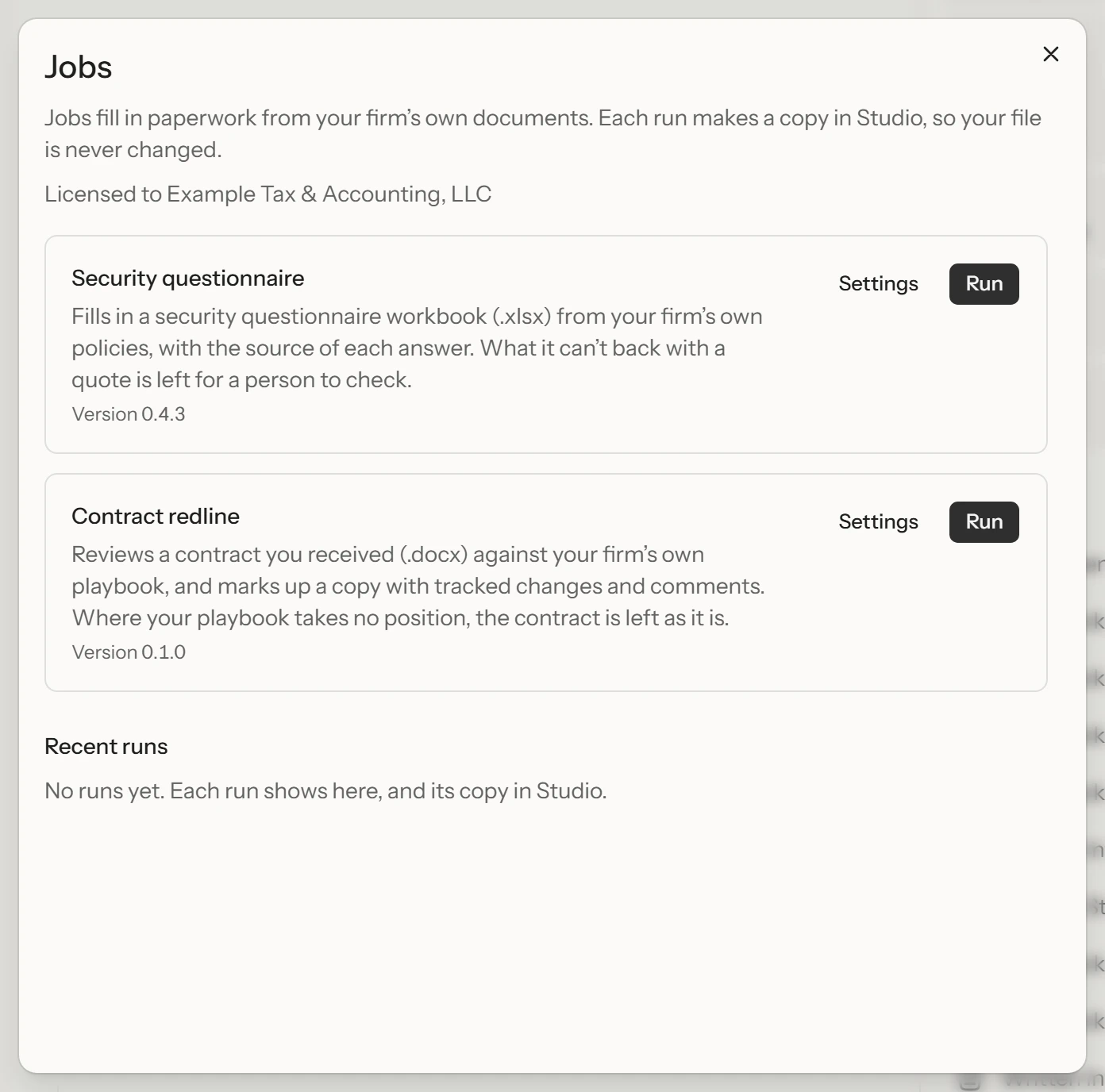
Choose the workbook and the documents
Click Run beside Security questionnaire. Under Workbook to fill in, the workbook in your sources is picked: SurfSense fills in a copy and leaves your file as it is. Under Your firm’s documents to answer from, tick the documents the answers should rest on. Here that's Deselect all, then the security plan.
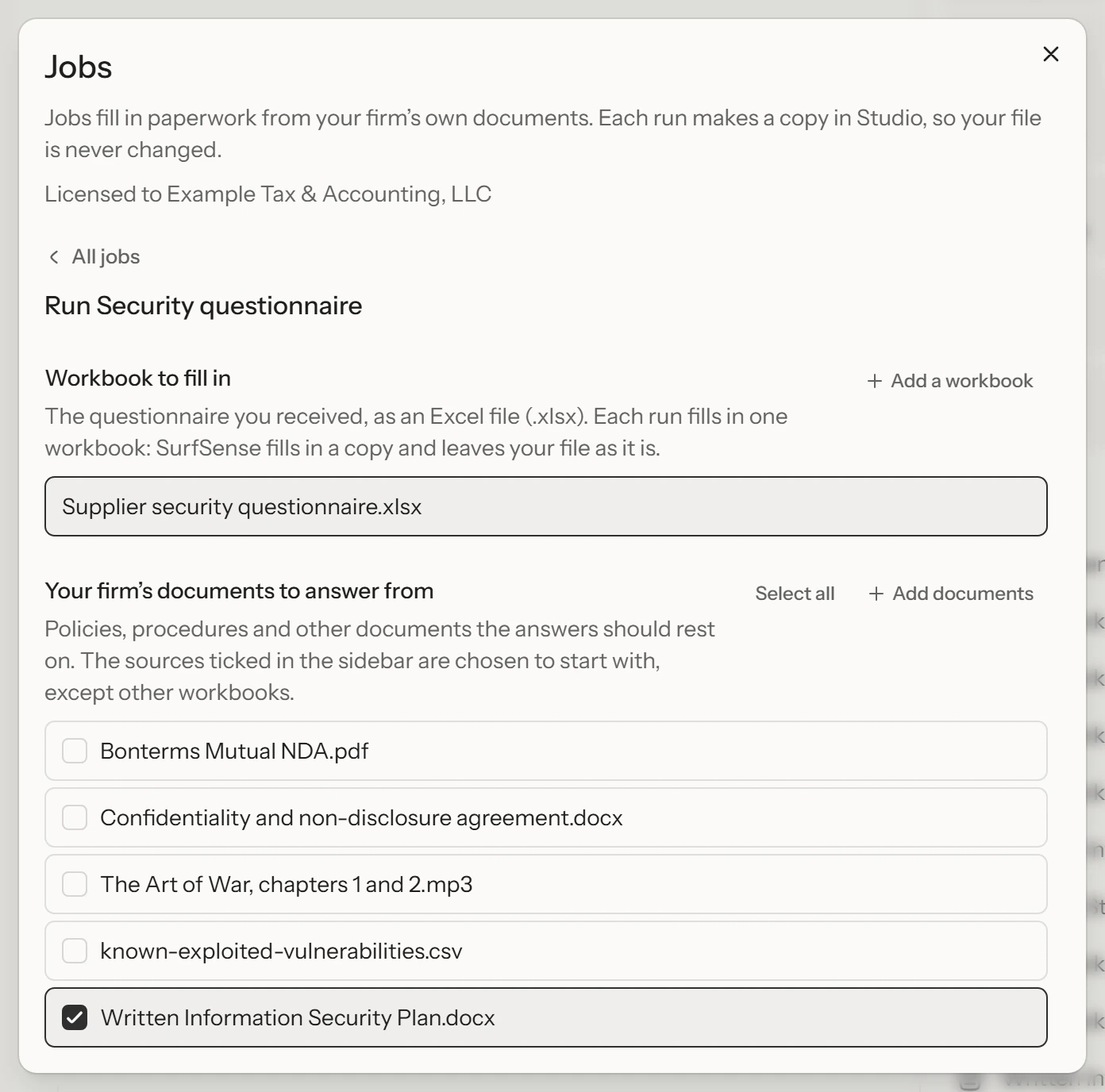
Start
At the foot of the form, check the model that answers: a model that doesn't run on your computer receives the questions and passages from your documents. Then click Start.
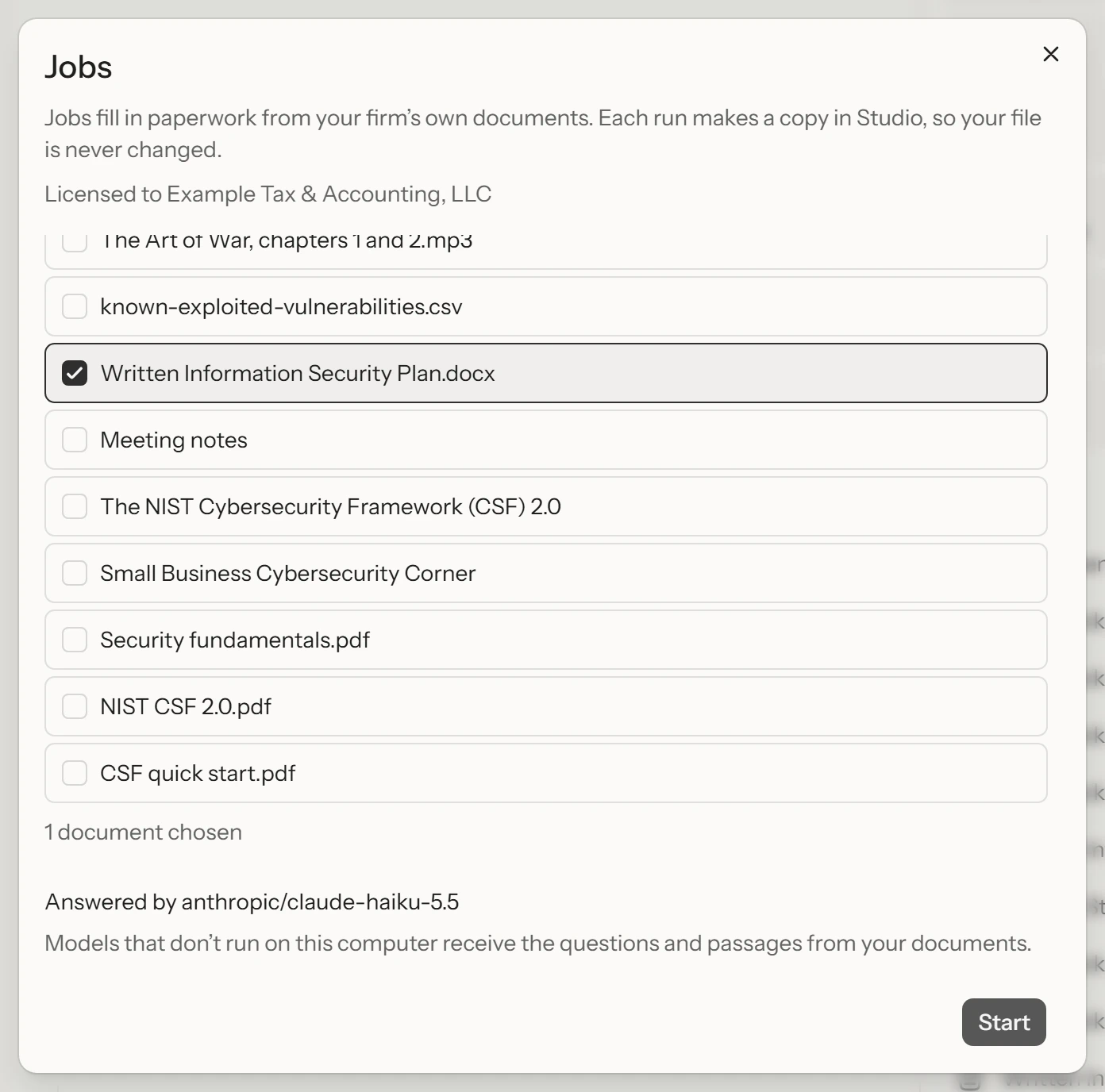
Jobs shows how far the run has got. You can close Jobs and keep working, but keep SurfSense open until the run is done. Cancel run stops it, and nothing is written.
Read what it did
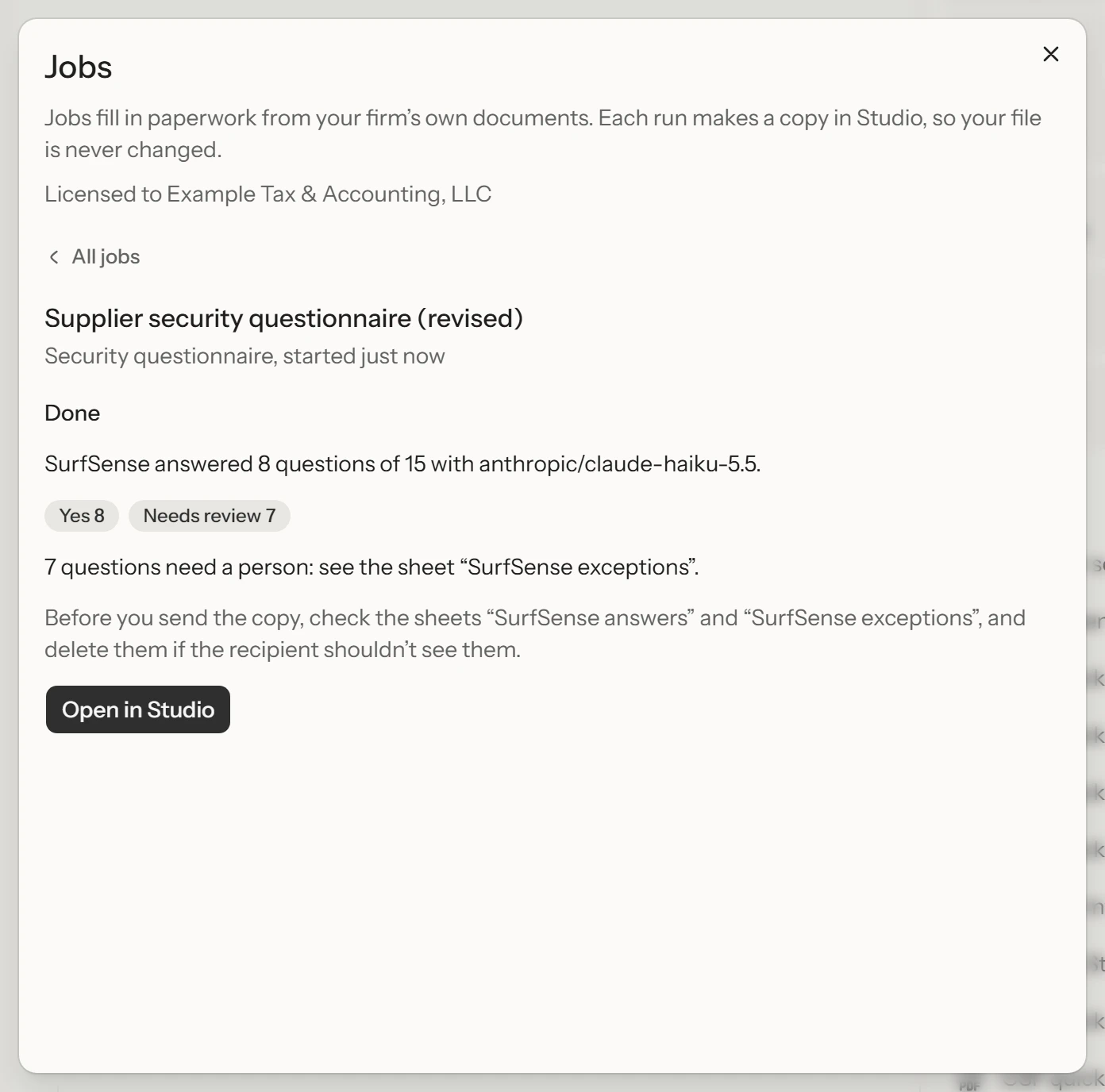
When the run is done, Jobs says how many questions SurfSense answered, how many need a person, and which of its sheets to check before you send the copy.
Check the copy in Studio
Click Open in Studio. Each answer is in its cell, with a comment that names the passage it rests on. To read more of the sheet, hide the sidebar and drag Studio's edge to widen it.
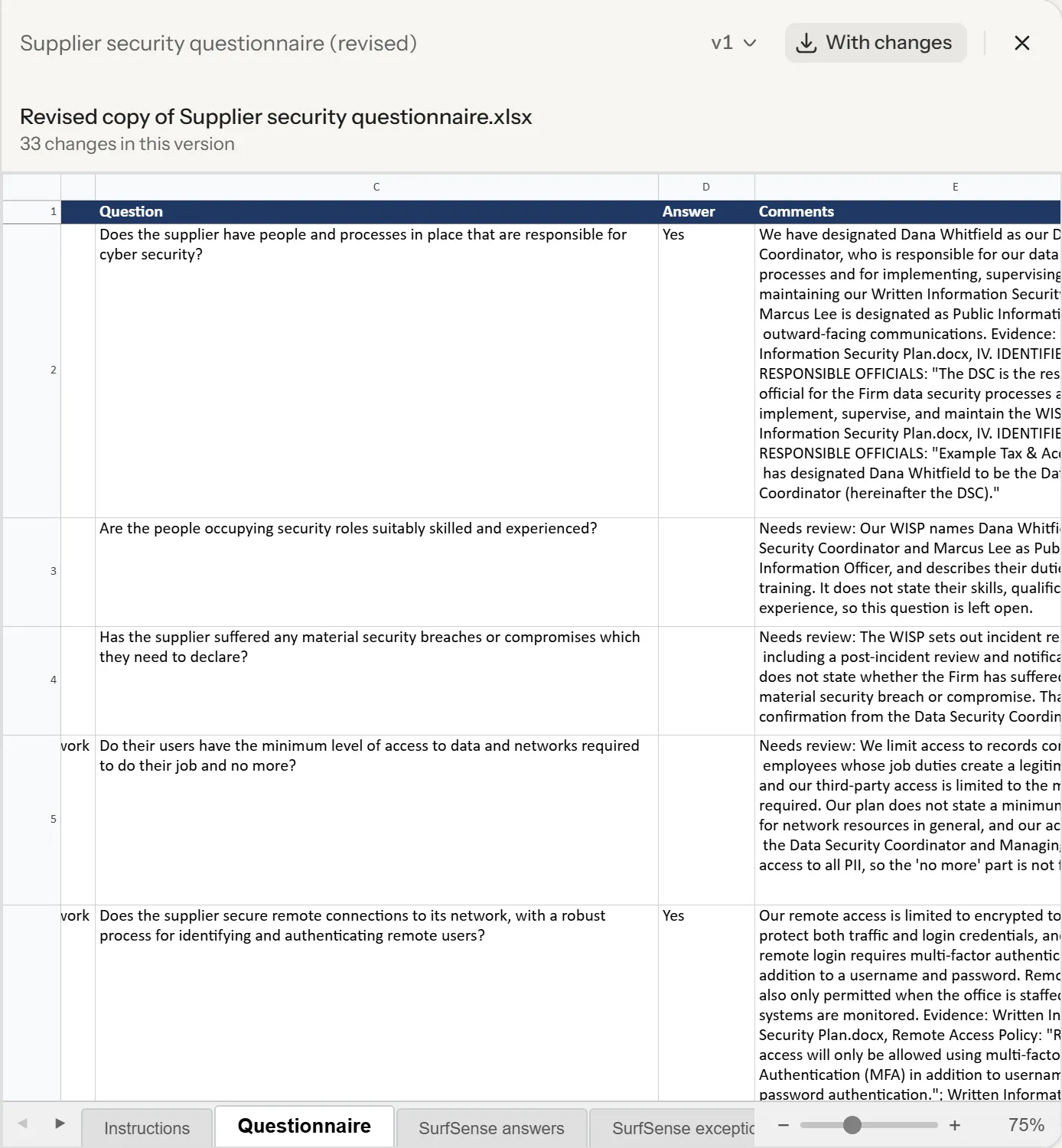
The SurfSense exceptions sheet lists every question a person should look at, and why. SurfSense answers has each answer's source and the quote it rests on.
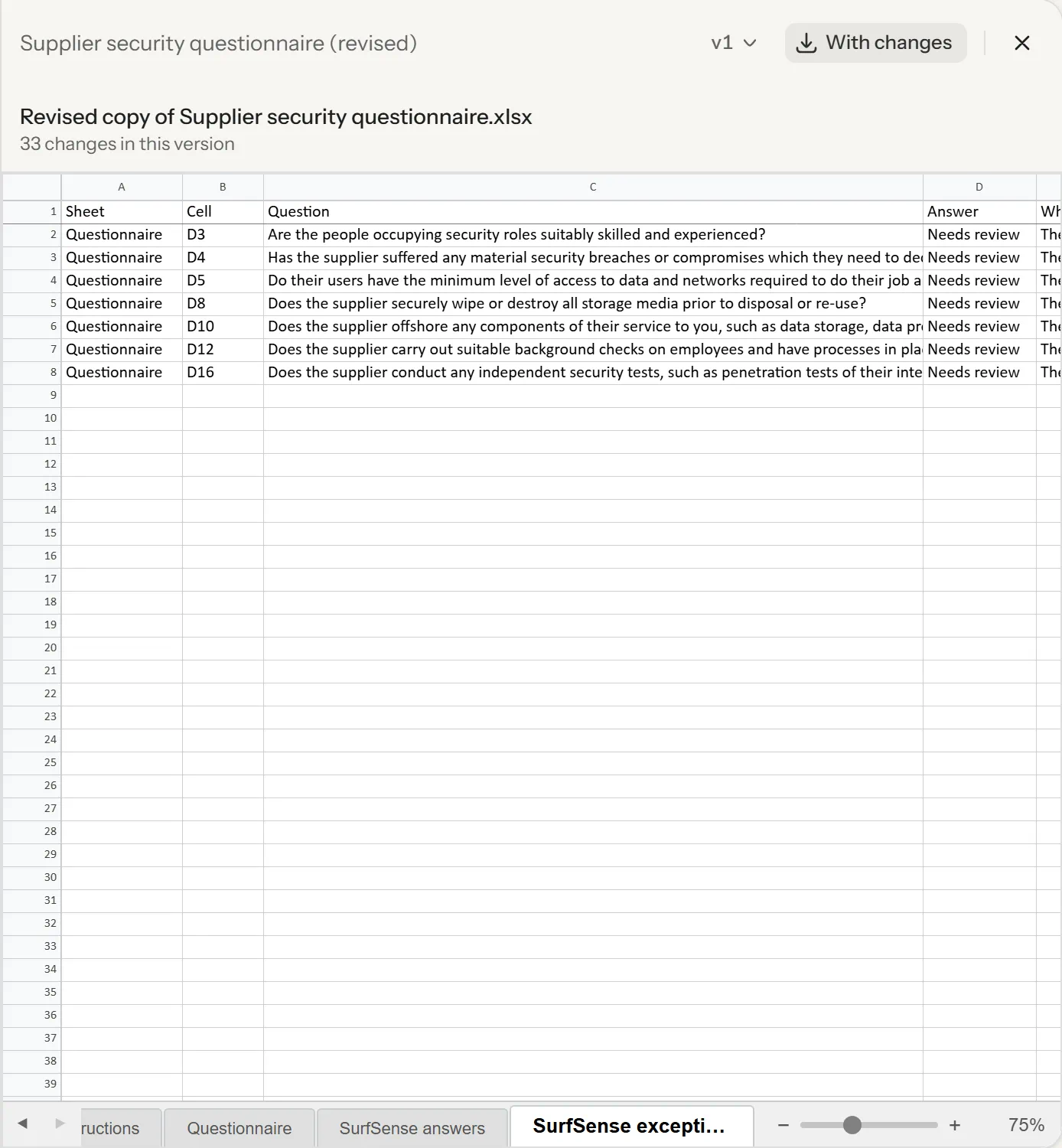
SurfSense writes Yes only where a passage in your documents says so, word for word, and a second check agrees. Download the copy with With changes. Before you send it, check SurfSense's two sheets, and delete them if the recipient shouldn't see them.
Here the job answers with Claude Haiku 5.5 through OpenRouter. A model that runs on your computer keeps your documents on it, but it is usually smaller and leaves more questions for a person.
Next
- Confirm suggested answers, when a run leaves some for you.
- Get the jobs, if Jobs on an older version asks for a license.
Last updated on November 23, 2026