 SurfSense Docs
Let the agent search and read the web
Ask the agent about a page or a recent fact, and allow each site once
When your question needs more than your sources, the agent can search the web and read pages and YouTube videos, on your own computer and connection. It needs no license and no plugin. See Search and read the web.
Ask, and allow the site
In an Agentic chat, name a page or ask something your sources don't cover. The first time the agent reaches a site, its step says the site isn't allowed yet and offers Allow with the site's name. The site gets the page's address and your IP address.
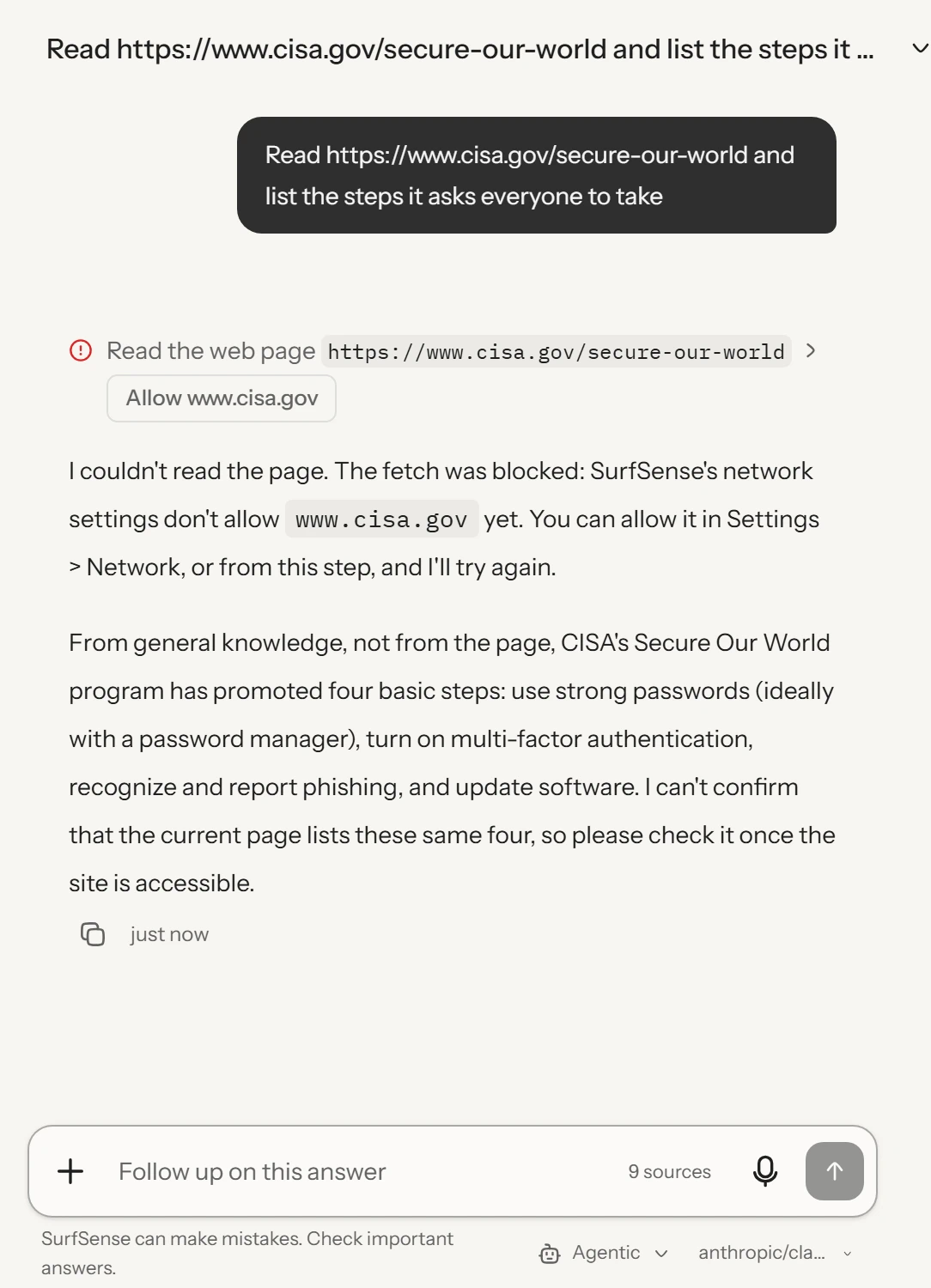
Ask again
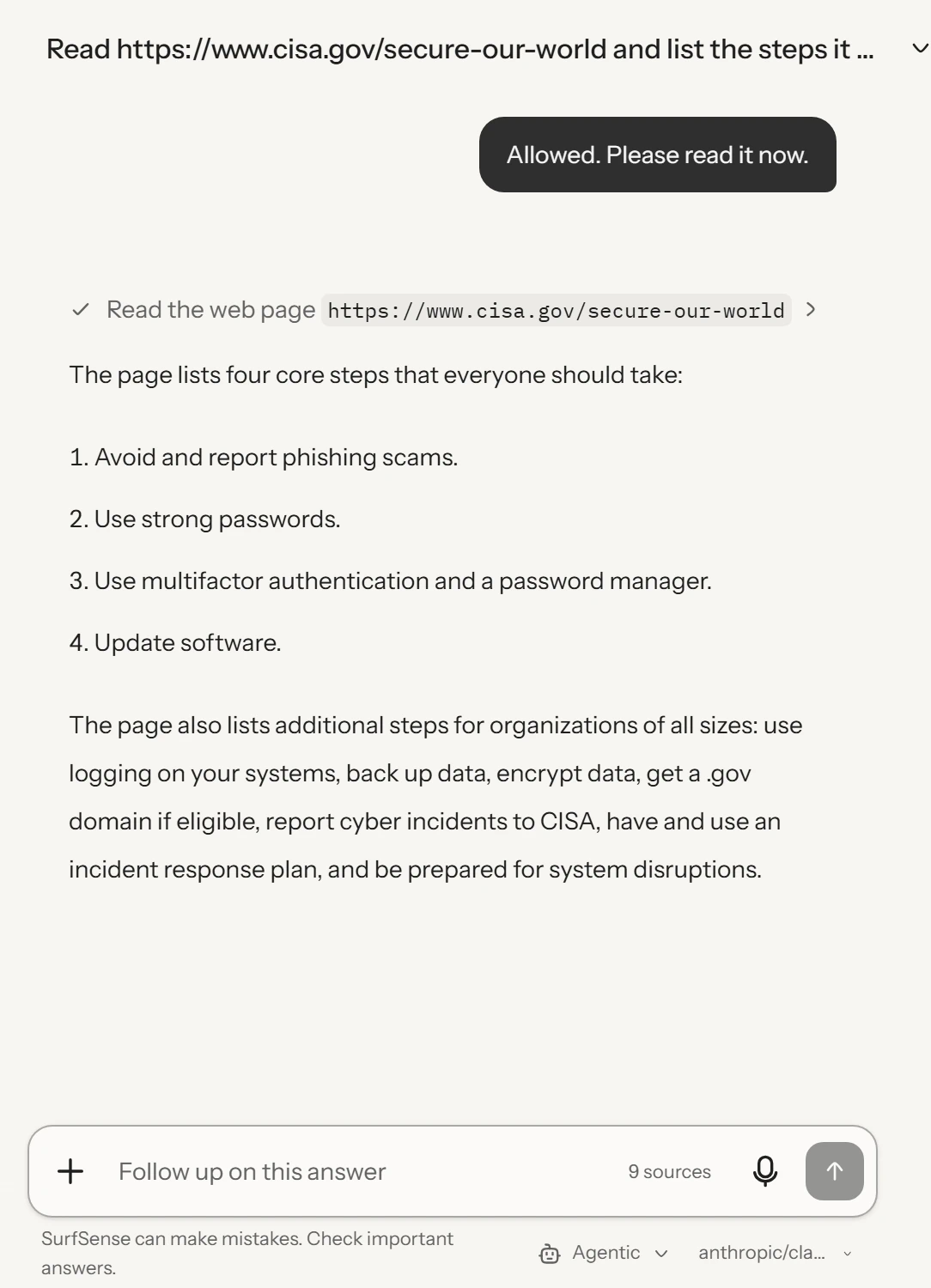
Click Allow, then ask the agent again. It reads the page and answers from it. The site stays listed in Settings › Network, where you can turn it off.
Searches go to a SearXNG server: SurfSense's own, unless you enter your organization's under Web search in Settings › Network. Pages behind a login can't be read: save them as a PDF from your browser and add the file instead.
Next
- Add web pages and YouTube videos as sources you keep.
Last updated on November 23, 2026